Roburbia Controls Guide
Phone, jobs, build mode, driving, and baby interactions on every platform.
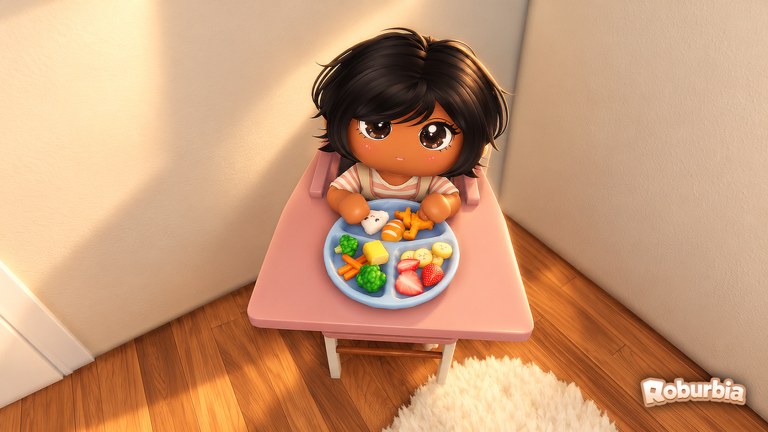
This controls guide for Roburbia focuses on the menus and interactions that new players miss: the Phone, Careers clock-in circles, Codes, build mode, vehicle catalog access, and baby carry prompts. Roburbia by Lúmen Studio runs on Windows, macOS, iOS, Android, Xbox, PlayStation, and Meta Quest with eight-player servers. Exact button glyphs follow your Roblox device profile; the important part is the shared UI path.
Use this page beside Getting Started on day one and beside Jobs and Money whenever a shift clock seems stuck. Open beta began 19 October 2026; Playground Update systems from 25 November 2026 add restrooms, strollers, and cooking minigames that reuse the same interact keys.
Universal HUD: the Phone
On PC and mobile the Phone icon usually sits bottom-right. Open it to reach:
- Careers — Go to work / Teleport, then physically enter the on-world circle to clock in.
- Codes — Enter Code + Redeem (How to Redeem Codes; active list still empty on Codes as of 25 November 2026).
- Other apps the studio adds in patches—rejoin after updates if an icon is missing.
Close overlapping tutorial banners, map panels, or build UI if the Phone is covered. Language and camera settings still use Roblox’s escape/menu stack outside the Phone.
Movement and camera
- PC: WASD move, mouse look, standard Roblox jump/sprint bindings unless you rebound them.
- Mobile: virtual joystick and camera drag; pinch sparingly in busy Main Street crowds.
- Xbox / PlayStation / Quest: left stick move, right stick camera, face buttons for contextual interact. Keep the virtual cursor ready for Phone grids.
Cozy streets after Playground can feel denser—short camera resets help when strollers and carts overlap.
Careers clock-in controls
- Phone → Careers → Go to work / Teleport.
- Walk into the highlighted circle.
- Continue performing job actions (florist sales, market carts/register/mop, diner service, delivery drops, gardening, fishing).
Standing completely still can pause the shift clock. Nudge movement or keep completing tasks. If pay stops, check that you are still inside the circle and not frozen in an emote. Delivery players should also practice enter/exit vehicle prompts before long routes (How to Get a Car).
Build mode and the vehicle catalog
Enter build mode from your home. Open the furniture catalog and scroll to the bottom for bikes, cars (5000 coins), and delivery trucks (30000). Place furniture with the free tools first; optional ADVANCED PLACING (249), ARCHITECT (199 for 14 stretchable shapes), and DECALS (149) only refine controls—they do not invent new purchase menus. BUILD SLOTS (149) unlocks up to five homes to edit. Deeper layout advice sits on Home Building.
On controllers, confirm rotate/snap modifiers before stretching ARCHITECT pieces near cribs or kitchens.
Babies: carry, floor, daycare
Contextual prompts cover lap carry, talk, feed, diaper (watch the green cloud), fun, and potty. Before job clock-in, put the baby on the floor so daycare (~30 coins per child per day) can process cleanly. Double strollers, diaper bags, playpens, playdates, and nannies from Playground use the same interact key—see Babies. Creators’ practical max is two children; practice swapping carry targets before pier playground trips.
Grocery, cooking, and minigames
Main Street Market interactions: pick up basket or cart (baby seat available), checkout, carry paper bags, load car trunks. Cooking uses real ingredients; Playground adds cooking minigames and clothing bags—follow on-screen prompts and keep both hands free of a carried baby when a minigame needs timing. Full loop: Cooking and Grocery.
Platform quick notes
PC: fastest catalog scrolling and code pasting (Ctrl+V / Cmd+V).
Mobile: long-press paste into Codes; watch thumb occlusion over the Phone icon.
Console: enable on-screen keyboard only when paste is unavailable; prefer short interactions.
Meta Quest: comfort vignette + seated mode helps during long florist shifts; recenter if Phone UI sits outside your play space.
Troubleshooting unresponsive inputs
- Rejoin for a fresh eight-player server after a patch.
- Exit build mode before hunting the Phone.
- Drop carried babies before job or cooking minigames that need both hands.
- Confirm you are in official Roburbia (universe 10323282681) via the Links Hub.
- Do not install executors to “fix” binds—see Scripts.
Practice route
- Spawn → open Phone → open Careers and Codes once each.
- Teleport to florist or market → enter circle → complete one action while moving.
- Enter build mode → scroll catalog bottom → note vehicle prices without buying.
- If you have a child, practice floor drop → daycare path → lap carry again.
- Return to Guides Hub for the next how-to.
Master the Phone and the job circle first; every other system in Roburbia reuses those habits.
Frequently Asked Questions
Quick answers to the most common Roburbia questions.
Where is the Phone in Roburbia?
Look for the Phone icon, usually bottom-right on PC and mobile. Controller players open the same icon with the on-screen cursor.
Why did my job timer stop?
Standing still can pause the shift clock. Move slightly or keep doing job tasks while inside the circle.
How do I open the car catalog?
Enter build mode at your home, open the furniture catalog, and scroll to the bottom for vehicles.
Can I play Roburbia on console and Quest?
Yes. Xbox, PlayStation, and Meta Quest are supported. Menus match PC and mobile; use the virtual cursor for Phone apps.