Roburbia Home Building Guide
Catalog furniture, build passes, gardens, nurseries, and multi-home slots.
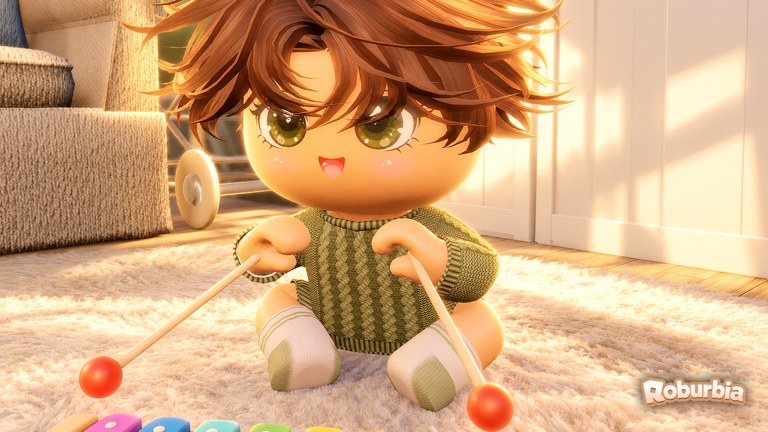
Building a cozy plot is half the fantasy in Roburbia. This guide covers the furniture catalog, free placement basics, optional passes (ARCHITECT, ADVANCED PLACING, BUILD SLOTS, DECALS), garden beds from Harvest systems, nursery layout for babies, and how Playground’s cozy streets change curb appeal. Roburbia by Lúmen Studio is free on Roblox (universe 10323282681, open beta since 19 October 2026, eight-player servers). Spend coins from Jobs and Money with a priority list so wallpaper does not erase your car fund.
Vehicles also hide in this catalog—scroll to the bottom for bikes, cars (5000), and delivery trucks (30000). Details on How to Get a Car. Controls for rotate/snap live on Controls.
Enter build mode and the catalog
- Load into a home you own.
- Enter build mode.
- Open the furniture catalog.
- Place essentials first: bed, kitchen, storage, seating, then décor.
- Scroll to the bottom when you are ready for vehicles.
You do not need Robux to place free or coin furniture. Passes only add shapes, precision, slots, or decals.
Optional build gamepasses
| Pass | Robux | What it adds |
|---|---|---|
| ARCHITECT | 199 | 14 shapes you can stretch and paint |
| ADVANCED PLACING | 249 | Finer placement control |
| BUILD SLOTS | 149 | Up to five homes |
| DECALS | 149 | Decal support |
| Starter Kit | 99 | Early convenience bundle |
Buy ARCHITECT when you care about custom shells; ADVANCED PLACING when free snapping fights your nursery layout; BUILD SLOTS when you truly want alt homes (roleplay street, garden showcase, delivery staging). DECALS are cosmetic—full picture-ID workflow on Decals and Picture IDs. None gate adoption, jobs, or Codes (Codes still empty as of 25 November 2026).
Layout priorities that play well
Kitchen first
Real-ingredient cooking and Playground cooking minigames need clear counters. Keep bag drop-off near the door so Main Street paper bags and trunk unloads do not cross the stove. See Cooking and Grocery.
Nursery and sight lines
If you adopt at Town Hall (first door on the right), place sleep and change areas where you can see playpens. Store diaper bags by the exit. Plan space for a double stroller after Playground. Creators’ max of two babies means two sleep spots plus shared fun furniture—Babies.
Garden beds
Harvest / Garden Update plots belong in reachable yards. Path them so gardening jobs and personal harvests do not tramp through the kitchen—see Gardening and Fishing and Garden Update. Harvest Pass (30 tiers, 15 free, through 30 November 2026 in the autumn window) may reward outdoor décor—place rewards with the same discipline as catalog buys.
Curb and street
Playground’s cozy streets reward tidy fronts. Leave driveway logic for cars and trucks; do not block your own trunk loading zone with planters.
Multi-home strategy with BUILD SLOTS
Five homes sound great until each one needs furniture. Specialize:
- Home A — daily driver kitchen + nursery
- Home B — garden showcase
- Home C — delivery / storage overflow
- Homes D–E — roleplay or club-adjacent builds if you own CLUB ROBURBIA (299)
Earn on florist (37–59 coins/sale observed) or delivery before cloning five kitchens.
Budget order
- Kitchen + sleepables
- Nursery if parenting
- Bike / car mobility
- Garden beds
- ARCHITECT shells / DECALS / extra slots
- Pure cosmetics and clothing bag storage from Playground
Protect daycare float (~30 coins per child per day) and grocery staples before stretch goals. Optional EASY LIVING (199) and HAPPY BABY (249) do not replace a sensible floor plan.
Build session checklist
- Bank coins; note daycare and food reserves.
- Enter build mode; place function before décor.
- Test walk paths with lap carry or stroller in mind.
- Confirm vehicle catalog purchases only when mobility is the bottleneck.
- Exit build mode and test Phone → Careers so HUD is not stuck.
- Skim Updates after studio build patches.
Mistakes to avoid
- Decorating first, then discovering you cannot afford daycare.
- Buying BUILD SLOTS before Home A is finished.
- Blocking trunk or stroller paths with ARCHITECT stretches.
- Hunting cars outside the catalog bottom.
- Using scripts to duplicate furniture—read Scripts.
Related reading
- Getting Started — first plot expectations
- Jobs and Money — funding builds
- Babies — nursery needs
- Cooking and Grocery — kitchen flow
- How to Get a Car — catalog vehicles
- Guides Hub — all how-tos
Build slowly, leave aisles for kids and groceries, and let passes amplify a layout you already enjoy for free.
Frequently Asked Questions
Quick answers to the most common Roburbia questions.
Where do I buy furniture and cars?
Enter build mode and open the furniture catalog. Vehicles are listed toward the bottom of that same catalog.
What does the ARCHITECT pass do?
For 199 Robux it adds 14 shapes you can stretch and paint. It is optional for custom shells, not required for basic furniture.
How many homes can I own?
With the BUILD SLOTS pass (149 Robux) you can own up to five homes. Without it you still play and build on your available plot.
Should I decorate before buying a car?
Finish kitchen and sleep basics, protect daycare and grocery money, then choose between mobility and décor based on your job loop.