Getting Started in Roburbia
Open-beta first-hour route for Lúmen Studio’s cozy Roblox life sim.
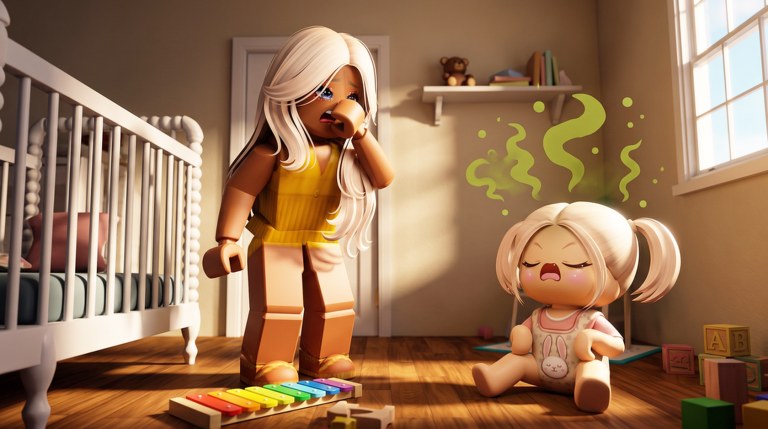
Roburbia is Lúmen Studio’s free cozy life sim on Roblox. Open beta began on 19 October 2026. The experience ID you want is place 88188124447968 under universe 10323282681, with a soft server size of eight players. It runs on Windows, macOS, iOS, Android, Xbox, PlayStation, and Meta Quest. This getting-started guide covers the first session: Character Studio, learning the Phone, earning your first coins, and deciding when to adopt or buy a vehicle. For deeper money loops see Jobs and Money; for family systems see Babies.
As of 25 November 2026 the live headline is the Playground Update—pier playground, double strollers, diaper bags, playpens, playdates, nannies, cozy streets, restrooms, cooking minigames, and clothing bags. Earlier Grocery and Harvest / Garden updates still matter: Main Street Market, real-ingredient cooking, garden beds, and the Harvest Pass (30 tiers, 15 free, autumn window through 30 November 2026). Codes remain empty—zero active codes—but the Phone Codes app already exists, so practice the path via How to Redeem Codes.
Confirm you are in the right experience
Search results sometimes surface lookalike roleplay places. Confirm the title card says Roburbia by Lúmen Studio, then join from the official Roblox page linked on the Links Hub. Watch the trailer or the tips video mid-page if you need a visual check. Private servers and stale instances after a patch can hide new UI—leave and rejoin if Phone apps look wrong.
Character Studio and first spawn
On first load you pass through Character Studio. Pick a look you can recognize in an eight-player street; you can change outfits later with clothing bags from Playground content. After you spawn, walk the starter home and street before opening every menu. Note the Phone icon (usually bottom-right on PC and mobile). Close any tutorial banners that cover HUD corners so you can reach Careers and Codes later.
Phone apps you need on day one
- Careers — Go to work / Teleport, then stand in the job circle to clock in. Standing still can pause the shift clock, so keep micro-movement while you wait between tasks.
- Codes — Enter Code and Redeem. Empty today, ready for the first promo.
- Build and catalog shortcuts when you enter build mode from the home flow.
Full input details live on Controls. Controller players on Xbox, PlayStation, and Quest use the same Phone tree with the on-screen cursor.
First coin loop (do this before adopting)
Open Careers, teleport to a starter-friendly job, and stand in the circle. Creators commonly recommend florist early: observed sales land around 37–59 coins per sale. Market work (carts, register, mop) teaches Main Street flow that later ties into Cooking and Grocery. Diner, delivery (often high pay per creators), gardening, and fishing unlock as you explore. Optional STAR EMPLOYEE (249 Robux) doubles pay and speeds promotion—nice, never required.
Bank a small float before you touch Town Hall adoption. Daycare costs about 30 coins per child per day when you clock in for work, and you must put the baby on the floor first. Creators report a practical max of two babies. Read Babies before you open the first door on the right at Town Hall.
Home, garden, and kitchen basics
Your starter plot is enough for a bed, kitchen, and a few garden tiles from Harvest systems. Shop Main Street Market with a basket or cart (baby seat available when you have kids). Paper bags and car trunks matter once you own a vehicle. Cooking uses real ingredients and, after Playground, cooking minigames—details on Cooking and Grocery. Build passes such as ARCHITECT (199), ADVANCED PLACING (249), BUILD SLOTS (149, five homes), and DECALS (149) only matter after you know the free catalog; see Home Building.
Vehicles are a mid-early goal, not minute one
Cars sit in the build-mode furniture catalog near the bottom. A bike is the cheap mobility step; a car is about 5000 coins; a delivery truck is about 30000. Car seats exist for family travel. Save with a plan on How to Get a Car after one or two solid job sessions.
Optional gamepasses (skip until you know the loop)
Starter Kit 99, DECALS 149, BUILD SLOTS 149, ARCHITECT 199, EASY LIVING 199, ADVANCED PLACING 249, STAR EMPLOYEE 249, HAPPY BABY 249, CLUB ROBURBIA 299. None of these gate Codes, Careers, or adoption. Spend Robux only after you enjoy the free loop for a few sessions.
First-hour checklist
- Join the official Roburbia place and finish Character Studio.
- Walk home and Main Street; open Phone → Careers and Codes once.
- Complete at least one florist or market shift without standing frozen in the circle.
- Stock a few grocery staples and cook one simple meal.
- Decide: more shifts toward a bike/car, or read Babies before adopting.
- Skim Updates so Playground and Harvest Pass timing make sense.
- Bookmark Guides Hub and Codes for the next patch.
Common day-one mistakes
- Adopting before you can afford daycare and diaper/hunger attention.
- Standing perfectly still on a job circle and wondering why the shift clock paused.
- Buying a delivery truck before a bike or car when your coin rate is still low.
- Pasting fake “codes” from random comments—check Codes first.
- Using executors for a cozy life sim; read Scripts warnings if you were tempted.
Finish this route, then deepen with Jobs and Money, Controls, and the family or vehicle guides when you are ready. Roburbia rewards calm planning more than rushing every catalog item on night one.
Frequently Asked Questions
Quick answers to the most common Roburbia questions.
When did Roburbia open beta start?
Open beta began on 19 October 2026. The game remains free to play on Roblox across PC, mobile, console, and Meta Quest.
What should I do in my first hour?
Finish Character Studio, learn the Phone Careers and Codes apps, complete one job shift, stock basic groceries, and delay adoption until you can cover daycare.
Do I need gamepasses to start?
No. All core loops—jobs, codes menu, adoption, cooking, and basic building—work without Robux. Passes only speed pay, build tools, or comfort.
Are there codes for new players?
As of 25 November 2026 there are zero active codes. The Phone Codes menu is ready; watch the Codes Hub when Lúmen Studio publishes the first string.