Roburbia Decals and Picture IDs
Paste Roblox image IDs onto house pictures with the optional DECALS pass.
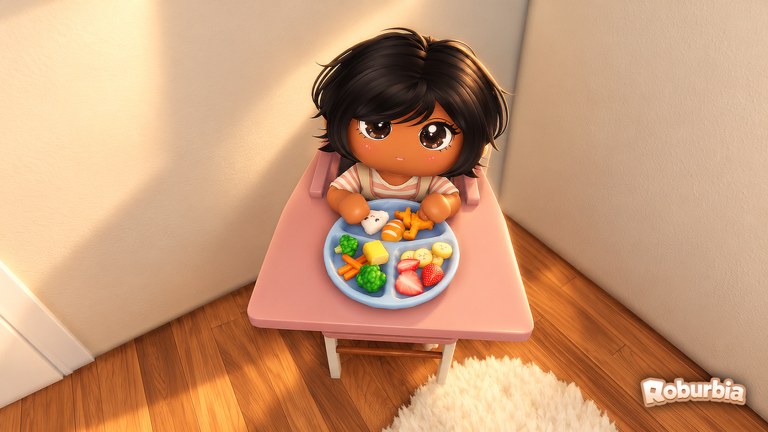
The DECALS gamepass is Roburbia’s lightest build cosmetic: for 149 Robux you paste a Roblox image or decal ID onto picture frames and similar surfaces inside a home you own. It does not raise job pay, unlock adoption, or fill the Codes box. It only changes how your walls, shops, nurseries, and garden labels look when friends visit an eight-player street. This guide explains when the pass is worth it, how to use IDs safely, and how DECALS compares with ARCHITECT, ADVANCED PLACING, and BUILD SLOTS. Pair it with the full layout walkthrough on Home Building.
Roburbia is Lúmen Studio’s free cozy life sim on Roblox (universe 10323282681, open beta since 19 October 2026, ~eight players per server). As of 25 November 2026 the live headline is the Playground Update. Optional passes still sit in the 99–299 Robux band. There are zero active codes—decals will not appear from a redeem string either.
What DECALS actually unlocks
Official store effect: paste a Roblox image ID on pictures. After you own the pass:
- Enter build mode on a home you control.
- Place or select a picture / frame-style prop from the furniture catalog.
- Open the decal / image ID field on that surface.
- Paste a numeric Roblox image or decal ID you are allowed to use.
- Confirm, then exit build mode and walk the room at eye level.
If the surface stays blank or reverts, the ID is invalid, moderated, private, or not an image asset Roblox will serve in-experience. Try another allowed ID rather than spamming purchases.
Best uses inside a Roburbia home
Signage and shop fronts
Roleplay cafés, florists, and delivery staging homes look clearer with a readable sign above the door or behind a counter. One strong poster beats five overlapping frames. Keep curb-facing signs tidy so Playground cozy streets still read as a neighborhood, not a billboard alley.
Posters and patterned walls
Living rooms and hallways take seasonal art, harvest motifs, or soft patterns. Prefer a short palette—two or three recurring images—so the home feels designed instead of random. Patterned walls work best when furniture color already matches; DECALS cannot fix a cluttered floor plan.
Nursery letters and family boards
Parents often want letter art, soft animal prints, or a simple “welcome” board near sleep furniture and playpens. Keep imagery age-appropriate for Roblox and easy to read at stroller height. Decals never replace Care needs, daycare (~30 coins per child per day), or Town Hall adoption rules.
Greenhouse and garden labels
Harvest / Garden beds reward readable labels: herb row, tomato tray, showcase bed. A small framed ID on a shed wall or greenhouse panel helps guests (and you) remember which plot is which after a long florist shift. For planting loops themselves, see Gardening.
Restraint beats spam
Eight-player servers mean your house is a social object. Overloaded walls tank frame clarity on mobile and make doorways hard to parse. Practical rules:
- Cap each room at a few hero images, not a wallpaper of IDs.
- Leave blank wall for furniture silhouettes and window light.
- Match image mood to room function (calm nursery, bold shop, quiet greenhouse).
- Revisit after every furniture rearrange—orphaned frames look worse than empty walls.
- Never block stroller paths, trunk unload zones, or kitchen counters with picture stands.
Finish kitchen, sleep, and walk paths from Home Building before you spend Robux on DECALS. Cosmetics last longer on a layout you already enjoy for free.
Compare DECALS with other build passes
| Pass | Robux | Role |
|---|---|---|
| DECALS | 149 | Paste Roblox image IDs on pictures |
| BUILD SLOTS | 149 | Own up to five homes |
| ARCHITECT | 199 | 14 stretchable, paintable shapes |
| ADVANCED PLACING | 249 | Off-grid, lift, and tilt precision |
Buy order for most builders:
- Free catalog furniture and a sensible floor plan.
- ARCHITECT if you need custom shells.
- ADVANCED PLACING when snap-to-grid fights nursery or café micro-layout.
- BUILD SLOTS only when Home A is finished and you truly want alt homes.
- DECALS when walls already look complete and you want personal art or signage.
DECALS shares a 149 price with BUILD SLOTS but solves a different problem. Extra homes multiply furniture cost; decals only change surfaces you already placed. Neither pass is required for Careers, Codes, or adoption. Rankings and caveats live on the Gamepasses Tier List.
Not required for jobs, codes, or adoption
You can clock florist, market, diner, delivery, gardening, and fishing shifts without DECALS. The Phone Codes app works the same with or without the pass—and as of 25 November 2026 still has zero confirmed strings. Town Hall adoption (first door on the right) does not check for picture IDs. Character looks come from Character Studio and clothing bags, not house decals—see Character Studio and Getting Started.
Skip DECALS on day one. Earn a float, stock groceries, and decide whether a bike/car or nursery matters more. Add the pass later if you decorate every session and keep wishing frames could show custom art.
Image safety and Roblox rules
Only use Roblox-allowed images and decals. Prefer assets you uploaded under your account or clearly public catalog images that Roblox still serves. Follow Roblox Community Standards and experience rules: no prohibited content, no harassment imagery, no attempts to bypass filters. Do not paste IDs that copy logos, characters, or art you do not have rights to use—follow Roblox rules and respect creators. If an image fails moderation or disappears after a platform purge, replace it; the pass does not guarantee every third-party ID forever.
This wiki will not list stolen asset packs, piracy tips, or workarounds. Legitimate expression is enough for cozy signage and nursery letters.
Session checklist
- Confirm DECALS is owned on the Roblox store for this experience.
- Enter build mode; place frames only where walls already need art.
- Paste one allowed image ID; verify it loads in first person.
- Limit density; remove frames that fight doors or strollers.
- Exit build mode; check curb appeal from the street.
- Skim Updates after studio build patches in case picture props change.
- Stay on legitimate play—read Scripts if anyone offers “free decal unlock” executors.
Related reading
- Home Building — catalog, layout, and full pass table
- Getting Started — when to buy cosmetics
- Gardening — beds and greenhouse context for labels
- Character Studio — avatar looks (separate from house decals)
- Gamepasses Tier List — value ranking across 99–299 Robux
- Guides Hub — all how-tos
- Updates — Playground and build-related patch notes
- Scripts — risk notes; never buy fake unlock tools
- Wiki — quick facts and hub map
DECALS is optional flavor for players who already love building. Spend the 149 Robux when blank frames bother you every visit—not when you still need daycare float, groceries, or a finished kitchen.
Frequently Asked Questions
Quick answers to the most common Roburbia questions.
How much does the Roburbia DECALS pass cost?
DECALS costs 149 Robux. It lets you paste a Roblox image or decal ID onto pictures in homes you own. It is optional and cosmetic only.
Do I need DECALS for jobs, codes, or adoption?
No. Careers, the Codes menu, and Town Hall adoption all work without DECALS. As of 25 November 2026 there are still zero active codes anyway.
How is DECALS different from ARCHITECT or ADVANCED PLACING?
DECALS (149) applies image IDs to pictures. ARCHITECT (199) adds 14 stretchable shapes. ADVANCED PLACING (249) adds off-grid, lift, and tilt tools. BUILD SLOTS (149) raises home ownership toward five plots.
What images can I paste with DECALS?
Only use Roblox-allowed image or decal IDs. Follow Roblox rules and Community Standards. Prefer assets you own or public catalog images that still load; do not use content you lack rights to display.
Should new players buy DECALS first?
Usually no. Finish a free floor plan, protect daycare and grocery money, then consider ARCHITECT or ADVANCED PLACING if layout tools are the bottleneck. Buy DECALS when you already decorate every session and want custom signage or nursery art.